
If you experience an issue where your stream cursor doesn't match yours, please ensure the browser and OS zoom level is 100%.
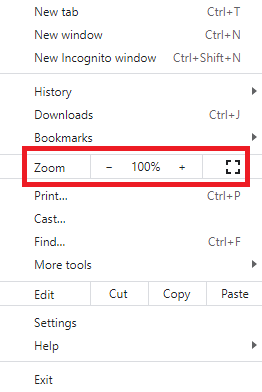
You can check the current browser zoom level by pressing three dots in the upper right corner of the browser window (Google Chrome).
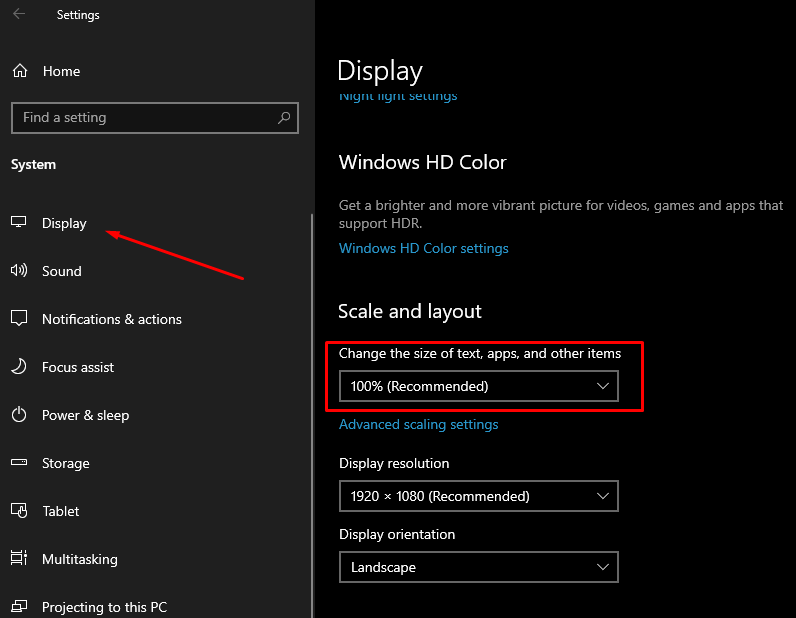
You can check the current OS zoom level in Settings → Display → Scale and Layout (Windows).
Additionally, such an issue can occur on an unsupported screen resolution. If you have an unsupported resolution, please contact the support team, and we'll try to add support for it in future updates. You can check our supported screen resolution in this article.