
You can always check what server your session uses yourself by following these instructions:
Browser
Press F12 (or Ctrl + Shift + I) and choose the Console tab.
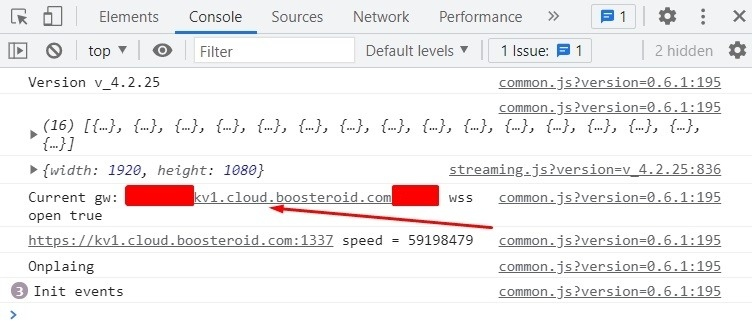
Note: the IP address may differ from the one shown in the screenshot depending on the Boosteroid server you are connecting to.
Desktop Application
Open the session overlay (Ctrl + F2 for Windows & Linux, hold the ESC button for macOS) and click the "Show advanced information" button.
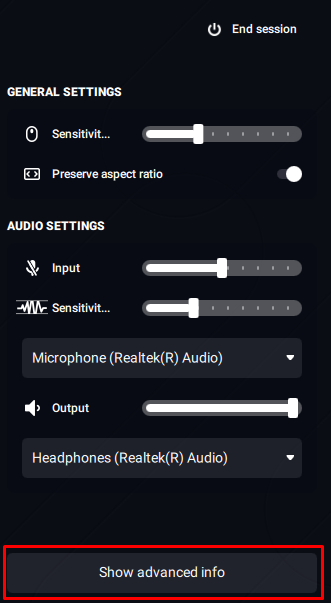
Then a new window appears with session information. You'll be able to see the server IP address there.
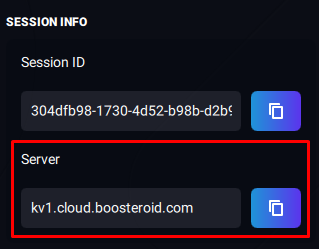
Note: the IP address may differ from the one shown in the screenshot depending on the Boosteroid server you are connecting to.