
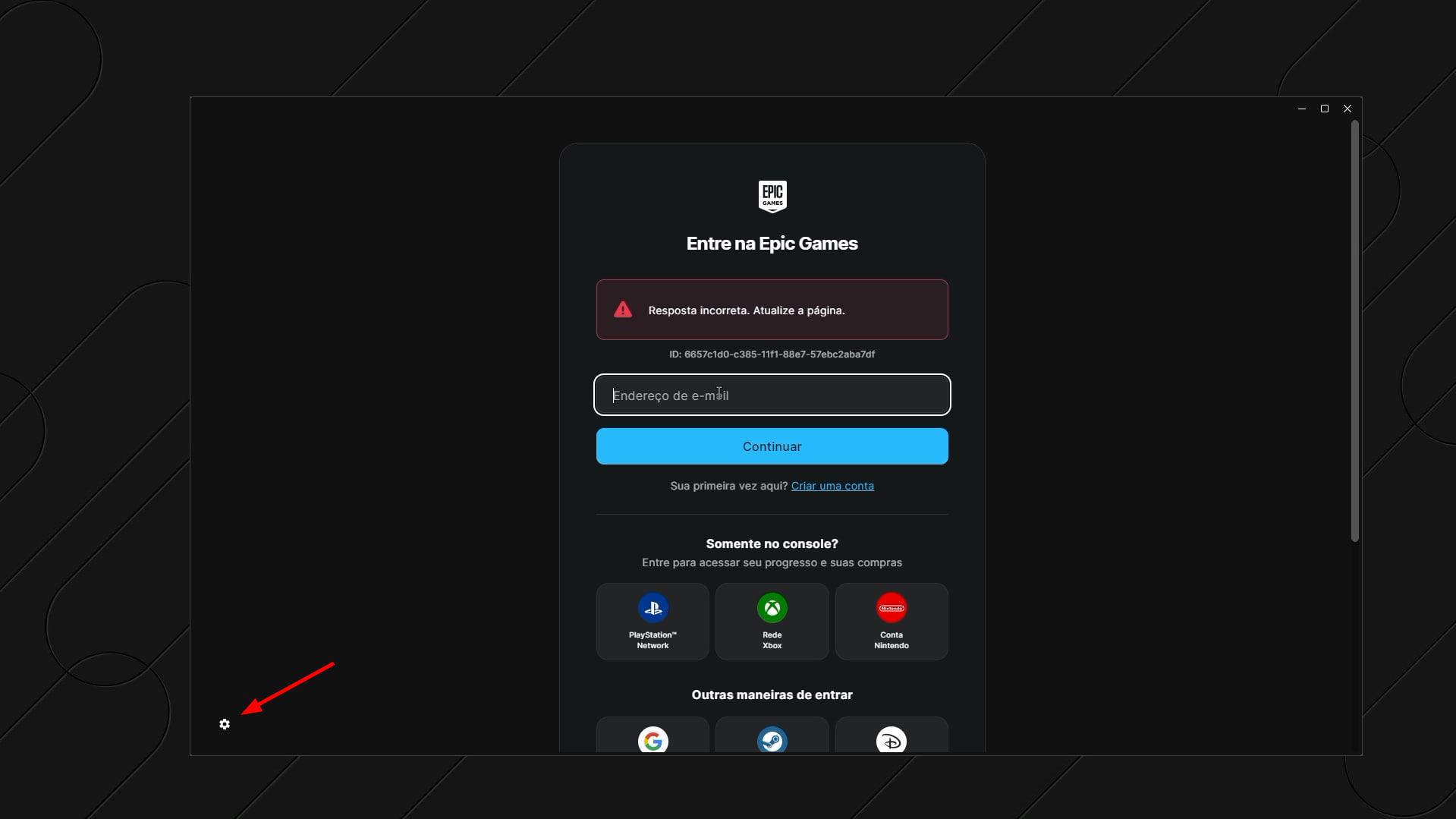
If you can't log in to the Epic Games Launcher during a Boosteroid session and see the error “Incorrect response. Refresh the page.”, a temporary workaround is to change the launcher language to English.
Important notes:
The language change only applies to the Epic Games Launcher in your current session on our remote gaming desktop;
We recommend choosing English;
The error text may differ depending on the launcher language.
On the Epic Games login screen, click the gear icon in the bottom-left corner of the launcher window;
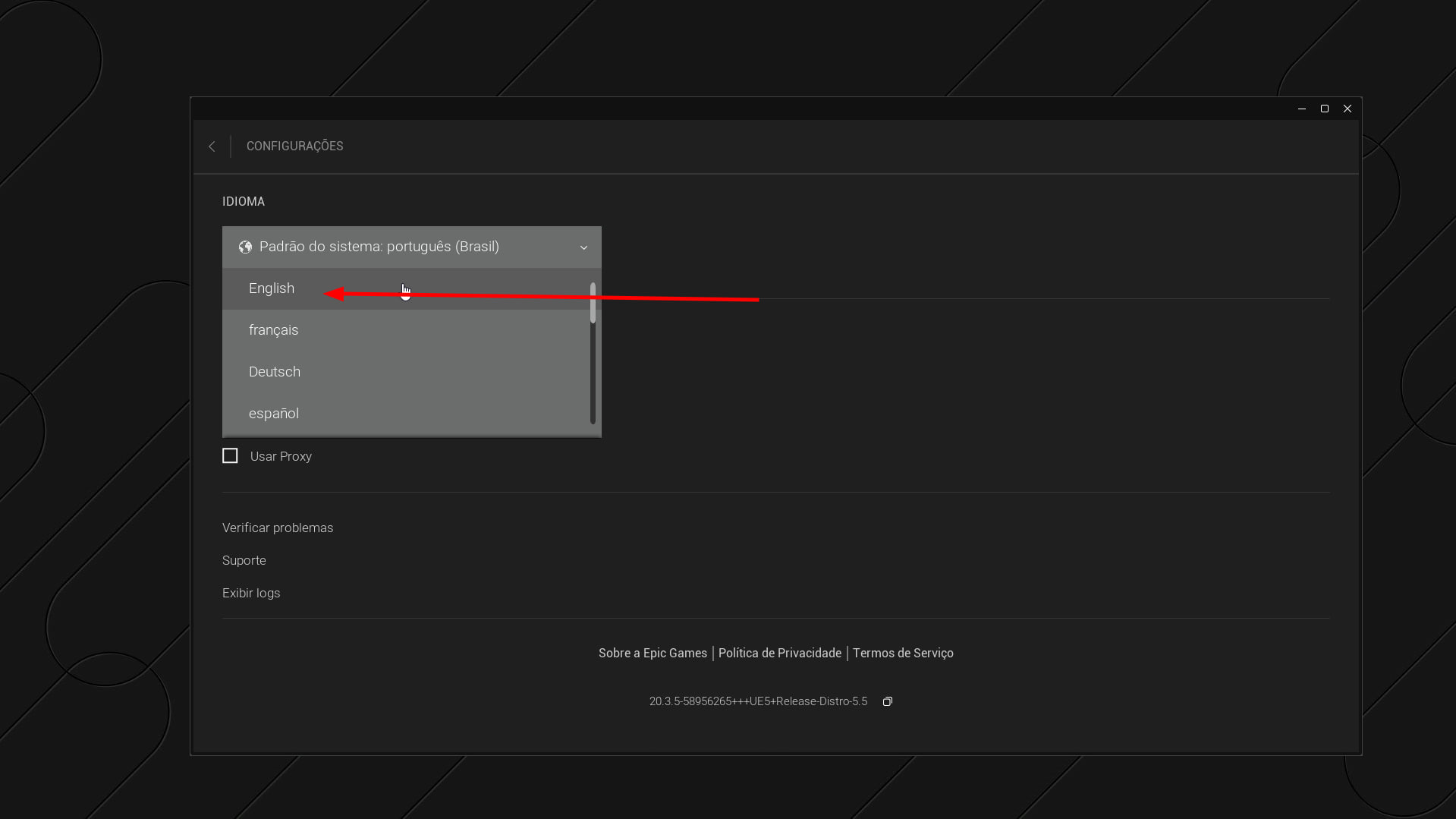
In the Language section, open the drop-down list and select English;
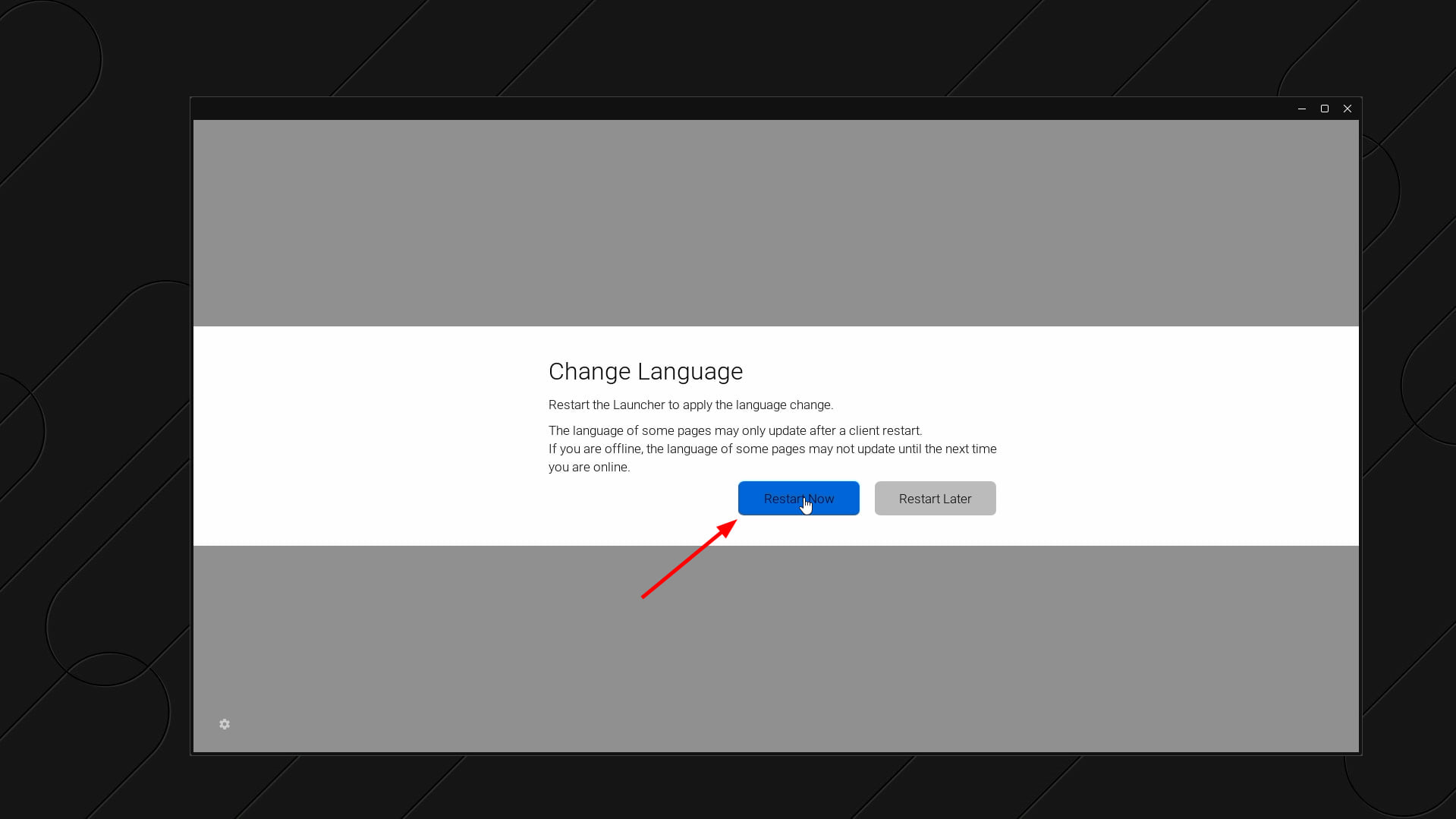
In the Change Language window, click Restart Now;
After the launcher restarts, log in to your Epic Games account again.
If the launcher doesn't load after changing the language:
Close your active session;
Wait 2–3 minutes for it to fully end;
Start a new session and try logging in again. If the error appears again, repeat the steps above.
If the error persists, please contact our support team via live chat. We apologize for the inconvenience.