
The QWERTY keyboard layout can be used on our service without any issues. Unfortunately, we can't guarantee the stable work of other keyboard layouts at the moment. For example, you can encounter a problem with a specific layout in some of our native applications.
How to change the keyboard layout in the browser
Open the overlay in the session (Default is to long-press the ESC key).
Find the Keyboard layout section and select the language you need from those available on our service
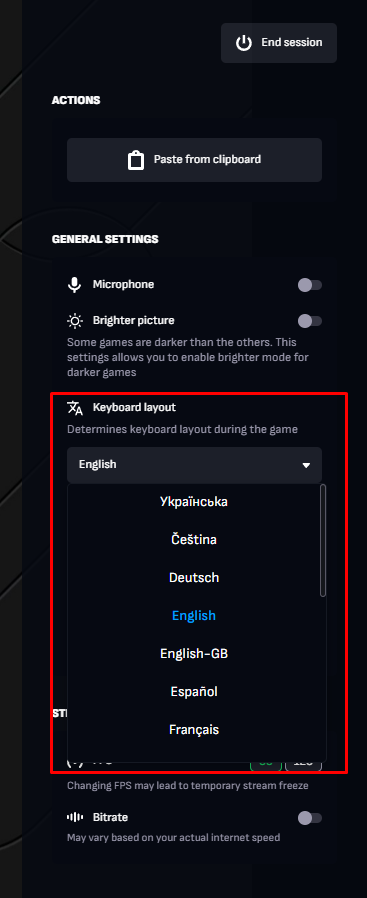
Important: In the browser, we only support the keyboard layouts that are listed.
How to change the keyboard layout in the App
Our app automatically sets the layout from your local device. Simply change the keyboard layout on your system. Nonetheless, we always improve our service and want to officially support as many keyboard layouts as possible. Therefore, if you face any such issues, please contact our support team.