
After the latest update of the Chrome browser engine, you may have a problem with mouse control.
Try our recommendations to fix this problem:
For Chrome
Open a new tab and type: chrome://flags/
Next, in the search, enter WebHID and select Enabled
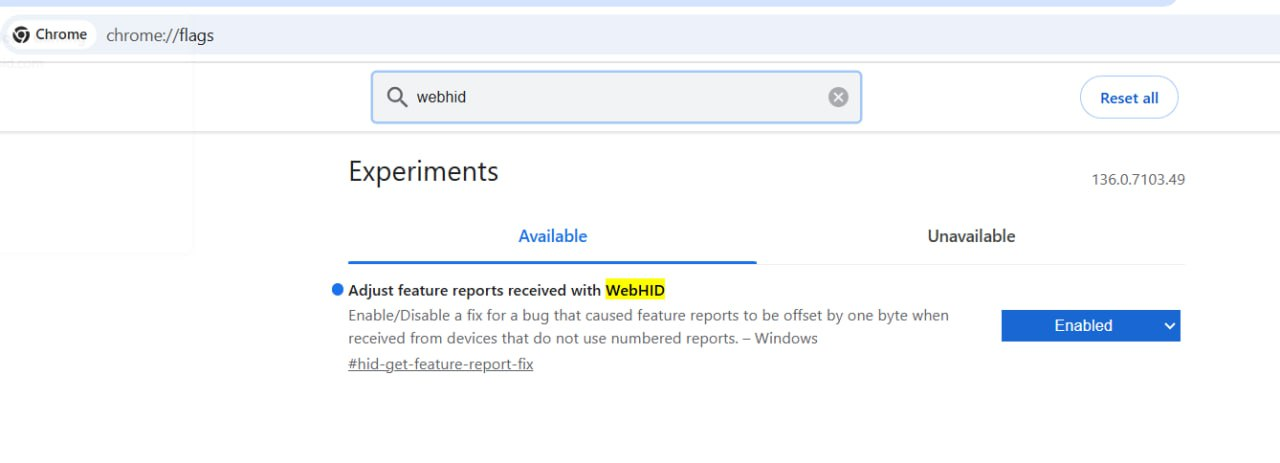
After that, the browser will prompt you to restart the browser. Agree and wait for the restart.
If the problem occurs again, try re-enabling this flag and restart browser again.
OR
You can try installing our PWA app. To do so, click here:
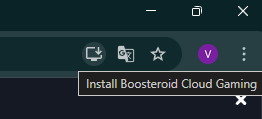
And click "Install"
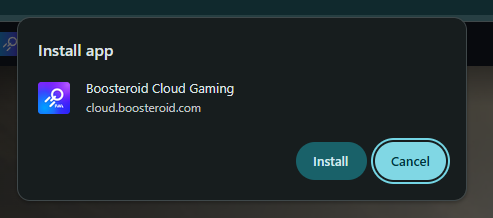
Try starting a session through our PWA application.
For Edge
Open Edge.
In the address bar, type:
edge://flagsIn the search box, type:
Experimental Web Platform featuresorWebHIDand set the value to Enabled.Restart Edge.
If you're using an enterprise system:
In an enterprise environment (for example, through a GPO or Intune), these APIs may be denied at the policy level.
In this case, check the policy:
edge://policyand see if access to WebHID, WebUSB, Web Serial, etc. is restricted.