
Some users have faced difficulties when attempting to log in to their games, which require logging into a PSN account. These issues can often result in the inability to sign in to the game, or even cause the game to freeze or stuck on a black screen after a login attempt.
What to do if the game freezes:
Sometimes, after trying to log in, the game may freeze or become unresponsive. If you are playing a Steam version of the game, you can close the game via the Exit Game button that's available in the upper-left corner of the Steam overlay (Shift + Tab).
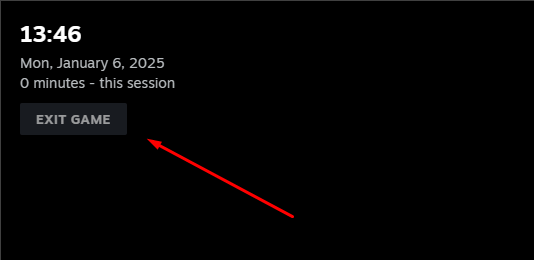
After that, you can start the game again via Steam launcher (if you haven't closed it before). During the next game launch, such an issue should be resolved.
If the issue persists or you're playing another version of the game, please contact customer support for further assistance.
Additional Troubleshooting Steps:
Try different login methods: Sometimes, switching from one method to another (e.g. from account credentials to QR code) can resolve the issue.
Double-check your PSN credentials: Ensure that your PSN account is active and there are no issues with it.